
Authoring
A connected path from draft to review
XDocs DITA CCMS connects integrated Oxygen XML authoring with shared content, metadata and version control, so technical writers can work together on structured documentation.
See authoring in action- Write with Oxygen XML
- Collaborate in context
- Control each revision
- Find what you need
01 / Writing tools
An editor that fits the way you write
Work in integrated Oxygen XML Author or Editor with DITA tools and CCMS-managed version and link integrity.
Choose a simplified, tag-free view or add panels, toolbar tools and advanced editing features.
Use shared permissions, metadata picklists and validation checks. Extend the tools with plugins and add-ons.
02 / Collaboration
Keep the conversation with the content
Send content to colleagues for collaboration and review. Leave markup and comments for others to see and answer.
Use optional workflow tools for assignments and notifications, and see where content sits in the process.
Find content that still contains markup and see who last worked on it.
03 / Version control
Understand and manage every revision
Track DITA topics, images and other files. See who created each version and when, compare text changes and roll back when needed.
Use date and time stamps to publish earlier content. Isolate parallel work on branches.
Compare branches and selectively merge changes, including through a branch manager user.
04 / Search and discovery
Find the right content, including its history
Search one or more publications or database folders, or the entire database.
Look at content as it exists now or at a specific date and time in the past.
Refine searches with facets, act on results and use faceted browsing and link management tools.
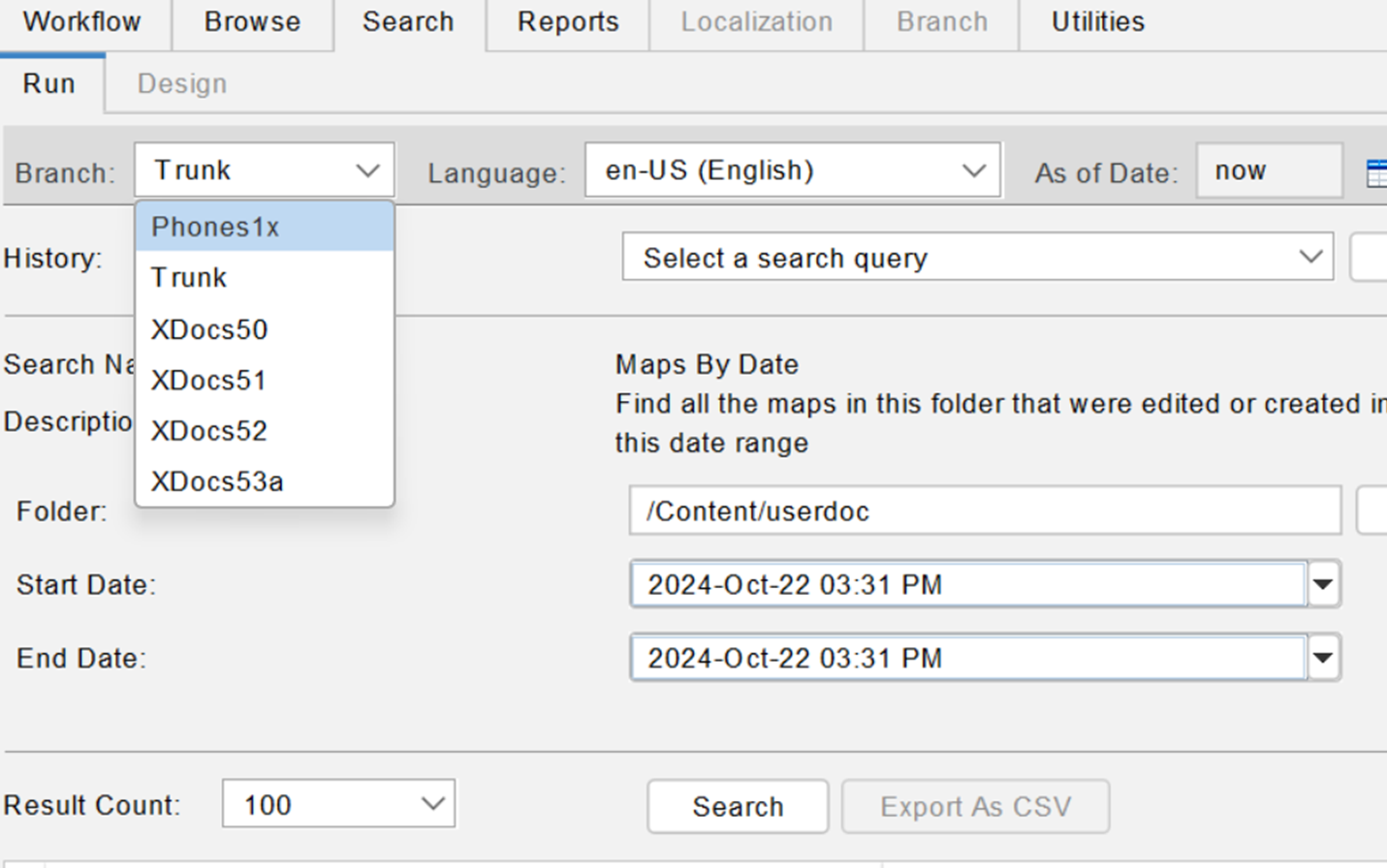
Search across content and time
Your content history is part of the picture
Find topics within publications and folders. Refine the results with facets and work with current or historical content.
Structured content / AI-ready foundations
Useful knowledge starts with a structured source
DITA topics give knowledge a reusable shape. Metadata adds context. Review and version history help teams maintain the source as products change. This provides a foundation for connected AI initiatives.
AI outcomes depend on content quality, retrieval and the tools you connect.
Questions about XDocs authoring
Practical answers for technical writing teams
Which editor does XDocs integrate with?
XDocs integrates Oxygen XML Author or Editor for DITA authoring, with configurable views and centralized permissions, metadata picklists and validation.
Can authors work on parallel content versions?
Yes. Branching isolates content versions. Teams can compare branches and selectively merge changes, while version history supports comparison and rollback.
How does structured authoring support AI readiness?
Reusable DITA topics, metadata and a reviewed, versioned source give downstream systems organized content to work with. AI results also depend on retrieval and connected tools.
Related resources
Explore supporting guides and customer stories
See the authoring workflow
Contact Bluestream
Tell us a little about your team and what you’d like to achieve. If you’re requesting a demo, mention the product or challenge you’re interested in.
Read our Privacy Policy for information about how Bluestream handles your data.