
- Case Study
- Warehouse Equipment Manufacturer
Warehouse Equipment Manufacturer (Anonymous Client)
Warehouse equipment
Anonymous manufacturer
Explore the workflow ↓
See the outcomes ↓
Talk to Bluestream ↓
From the as-built BOM to the right service information
This warehouse equipment manufacturer case study shows how Bluestream connects as-built bills of materials (BOMs), CAD drawings and service documentation. The anonymous manufacturer uses XDocs Manufacturing Suite to create site-specific illustrated parts catalogs (IPCs), with XDelivery providing parts and service information for customers and field technicians.
The challenge: warehouse equipment documentation for every site
Every installation used a different combination of equipment and parts. Generic Word documents and manually assembled PDFs made it difficult to keep each site’s service information current.
Teams needed a repeatable way to connect the installed configuration with the documentation and replacement parts customers actually use.
The starting point
- Manual updates to content and illustrations
- Static PDFs that were hard to maintain
- Difficult identification of replacement parts
The solution: from ERP and CAD data to site-specific parts catalogs
XDocs Manufacturing Suite connects each site’s as-built product data with service documentation. An as-built BOM records the parts supplied for that installation; CAD drawings provide the visual context for identifying them.
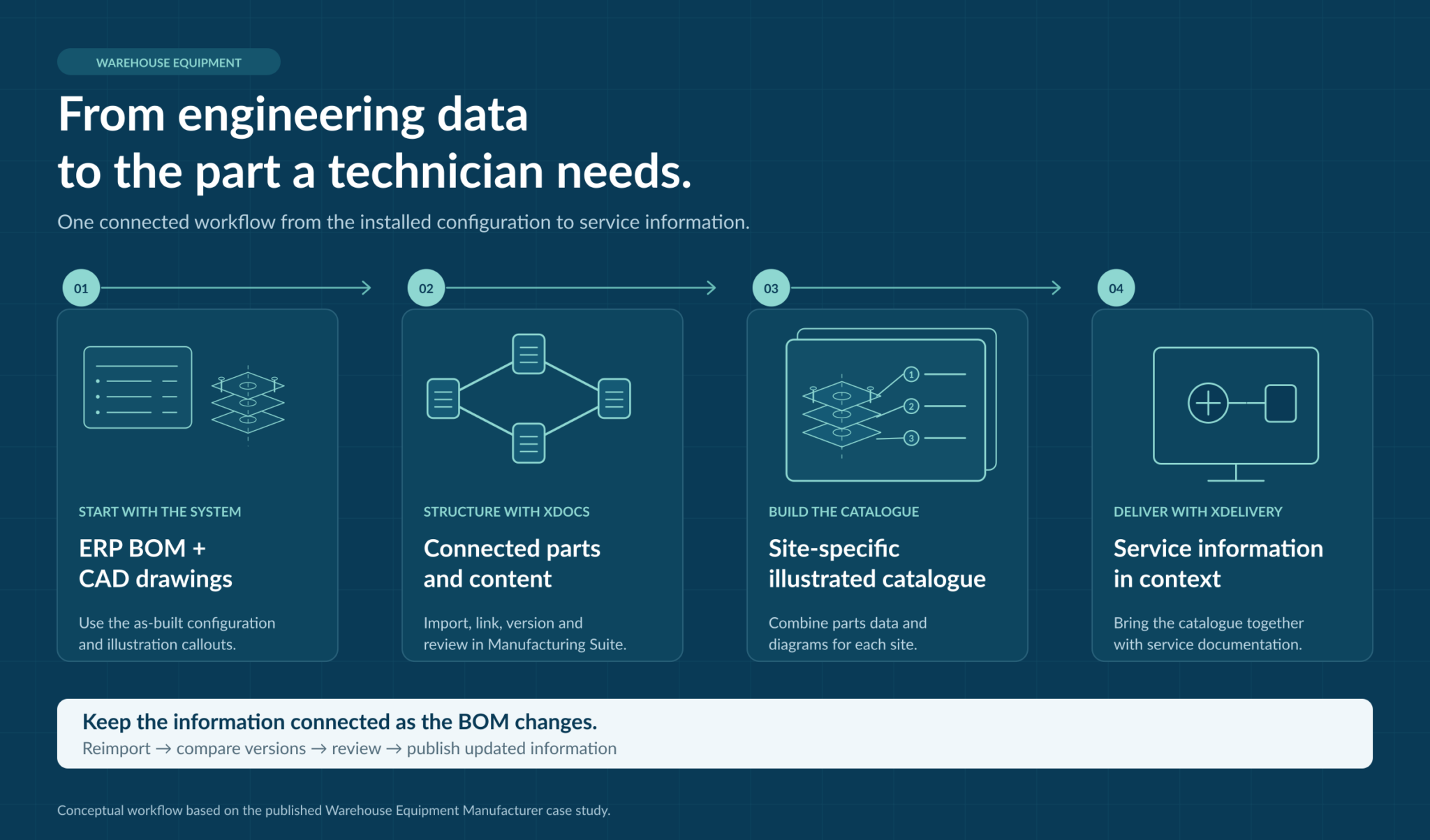
Follow the information from engineering data to the part a technician needs. Select the diagram to explore it in full.
Import the as-built BOM
Import the customer site’s bill of materials from the enterprise resource planning (ERP) system into XDocs Manufacturing Suite.
Link the CAD callouts
Automatically link CAD illustration callouts to the corresponding parts in the BOM.
Publish site-specific IPCs
Combine parts data and diagrams in a site-specific illustrated parts catalog, then deliver it through the XDelivery documentation portal.
Connect service and parts
Link service documentation directly to the IPC. Shopping-cart functionality can connect to parts ordering and customer relationship management (CRM) systems.
Integration scope: ordering and CRM connections depend on the customer’s systems and implementation.
Keeping parts and service documentation up to date
BOM changes and versioning
Catalogers can edit content before publishing or reimport the BOM for more extensive changes. Automatic versioning supports change detection and comparison.
Review before release
Browser-based review brings subject matter experts into the process before release. Parts data can also be reused in installation and maintenance manuals, keeping service information connected to the IPC.
Reported results and business opportunities
- Site-specific parts and service information
- Easier reuse of structured content
- Localization savings, with no amount stated
- More efficient parts ordering
- Lower support costs
- Higher aftermarket-parts revenue
The published story describes capabilities and qualitative results. It does not provide verified percentages for support-cost savings or parts-sales growth.
A foundation for AI-ready service content
AI-assisted service tools need reliable information about the right product, part and version. XDocs DITA CCMS manages reusable, structured content. Connecting that content with parts data, drawings, version history and review provides a useful foundation for future AI-assisted retrieval.
Teams still need to test any AI application against real service tasks, keep source information current and apply appropriate access permissions. Structured content alone does not guarantee accurate AI answers.
This is a forward-looking opportunity; the case study does not report an AI deployment.
Questions about warehouse equipment documentation
What problem did the warehouse equipment manufacturer need to solve?
Each warehouse used a different combination of equipment and parts. The manufacturer needed site-specific parts and service documentation instead of generic Word documents and manually assembled PDFs that were difficult to update.
How does an as-built BOM become an illustrated parts catalog?
XDocs Manufacturing Suite imports the bill of materials from the ERP system, links CAD illustration callouts to parts data and combines the information into a site-specific illustrated parts catalog. The catalog is delivered through XDelivery.
How do technicians find the right replacement part?
Technicians use the illustrated parts catalog for the equipment installed at their site. Linked diagrams and parts information help them identify the required component. Shopping-cart functionality can connect the catalog to ordering systems, depending on the implementation.
How are catalog changes reviewed and published?
Catalogers can edit content in the Catalog Editor or reimport the BOM for larger changes. Automatic versioning supports change detection and comparison. Browser-based review allows subject matter experts to check content before publication.
Can the same parts information support multilingual service content?
Yes. Parts information can be reused in installation and maintenance documentation. XDocs DITA CCMS integrates with translation management systems to manage multiple languages and publish to a multilingual parts ordering site.
Did this project include AI, and what results were measured?
The case study does not report an AI deployment. It reports site-specific documentation, easier content reuse and localization savings without a numerical amount. It does not provide measured percentages for parts-sales growth or support-cost reductions.
Explore the products behind this workflow
Create catalogs for installed equipment.
Connect source data with documentation.
Deliver relevant service information.
How does your BOM become service information?
Bring a sample BOM, a parts drawing and your plans for service automation. Talk to Bluestream about connecting your parts data and documentation.
What happens when you get in touch?
Tell us about your documentation needs so we can discuss how XDocs might fit your workflow.