
Content Management
Keep reusable content aligned with every release
XDocs DITA CCMS gives content managers metadata, reuse, workflow and release tools for coordinating technical documentation across products and teams.
See XDocs in action- Organize with metadata
- Understand reuse
- Coordinate workflows
- Manage releases
01 / Metadata management
Organize content around your requirements
Configure metadata for internal content management and for the people using your published content.
Find content affected by product or service updates. Use customizable reports to track progress, export findings or act on the results.
02 / Reuse management
See where shared content is used
Locate reuse through direct and indirect links, including images, topics, conrefs and conkeyrefs.
Identify frequently reused and orphaned content. Report on reuse within a publication or across the system, then act on the content you find.
03 / Workflow
Coordinate assignments and content progress
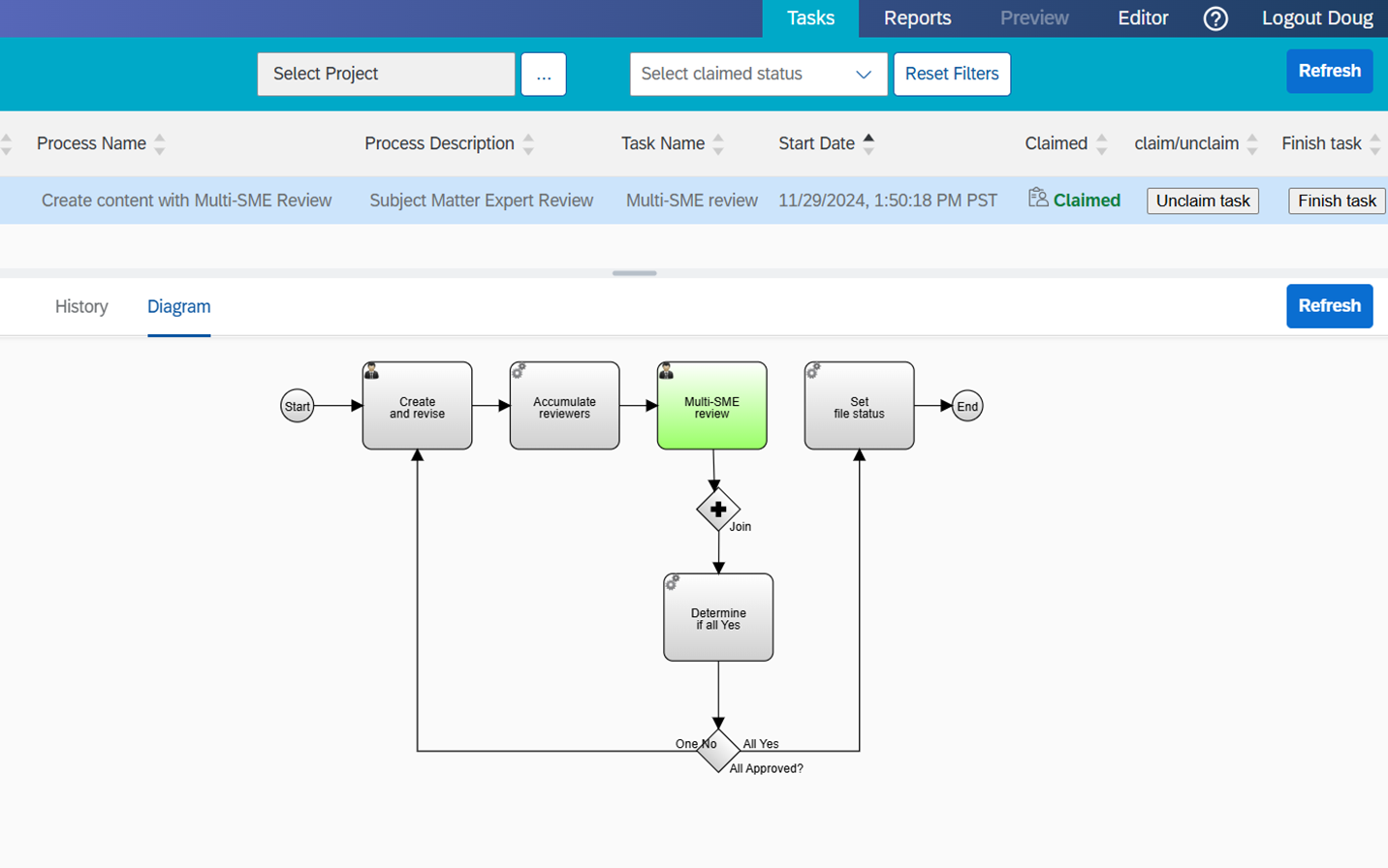
Assign content work through customizable workflows for ad hoc tasks or a wider documentation process.
Revise workflows as requirements change, customize notification templates and track progress through workflow tools and search reports.
04 / Release management
Keep versions and publishing profiles under control
Use XDocs labels to record dates and times for publishing, reporting on or restoring earlier content.
Create preview and publishing profiles with DITA conditional processing and DITA-OT parameters. Configure and update publishing plugins as required.
Use the branching module to isolate versions or releases, compare their contents and selectively merge changes.
05 / Content reports
Answer detailed questions about your documentation
Create reports for release planning or regulatory audits, including publication contents, update history and the use of DITA metadata such as compliance tags.
Add report columns, query selected content patterns and export results or perform further actions on the content.
06 / Content contribution
Bring contributions into the managed source
Contributors can use a browser to upload images and other files or create content from templates.
Workflow notifications can link contributors to XDocs Explorer in the Web (WEX). Integrations can automate content creation and uploads.
Content Management in XDocs
Make the content process visible
Assignments, review decisions and content status can be coordinated through configurable workflows.
Structured content / AI-ready foundations
A maintained source for connected knowledge
Metadata gives downstream systems context. Reuse management and version control help teams maintain a consistent source, providing a foundation for connected AI initiatives.
AI outcomes depend on content quality, retrieval and the tools you connect.
Questions about content management
Practical answers for your team
Can XDocs show where content is reused?
Yes. XDocs provides where-used information for direct and indirect reuse, including topics, images, conrefs and conkeyrefs, within a publication or across the system.
How does XDocs support release management?
Content managers can use labels, conditional-processing profiles, DITA-OT publishing parameters and plugins. The branching module supports isolated versions and selective merges.
Can content reports be exported?
Yes. Reports can be exported for use outside the CCMS. Teams can also perform further actions on content found in the results.
Related resources
Explore supporting guides and customer stories
Explore content management in XDocs
Contact Bluestream
Tell us a little about your team and what you’d like to achieve. If you’re requesting a demo, mention the product or challenge you’re interested in.
Read our Privacy Policy for information about how Bluestream handles your data.